Cartopy 2: NYS Mesonet Data
In this notebook, we’ll use Cartopy, Matplotlib, Datetime, and Pandas to visualize data from the New York State Mesonet, headquartered right here at UAlbany.
import matplotlib.pyplot as plt
import pandas as pd
from cartopy import crs as ccrs
from cartopy import feature as cfeature
from datetime import datetime
Create a regional map, centered over NYS, and add in some geographic features.
Be patient: this may take a minute or so to plot, depending on the resolution of the Natural Earth shapefile features you are adding!
Create the figure
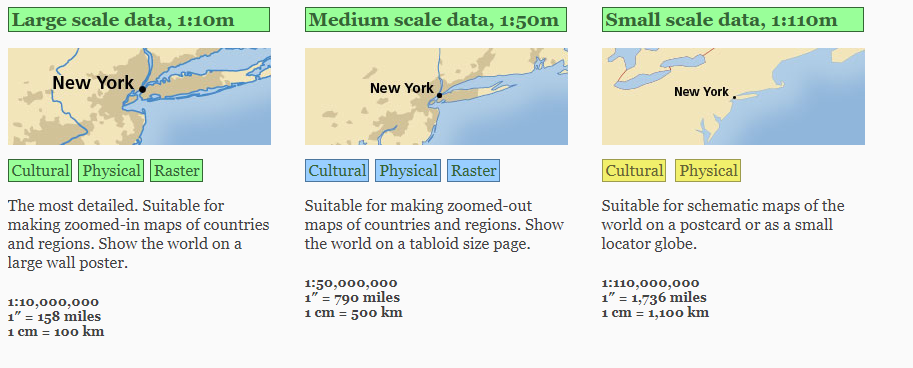
For a quick look, let’s just choose the coarsest (110,000,000:1) Natural Earth shapefiles set.
# Set the domain for defining the plot region.
latN = 45.2
latS = 40.2
lonW = -80.0
lonE = -71.5
cLat = (latN + latS)/2
cLon = (lonW + lonE )/2


proj = ccrs.LambertConformal(central_longitude=cLon, central_latitude=cLat)

res = '110m' # Coarsest and quickest to display; other options are '10m' (slowest) and '50m'.

fig = plt.figure(figsize=(11,8.5),dpi=125)
ax = plt.subplot(1,1,1,projection=proj)
ax.set_extent ([lonW,lonE,latS,latN])
ax.add_feature(cfeature.COASTLINE.with_scale(res))
ax.add_feature (cfeature.STATES.with_scale(res));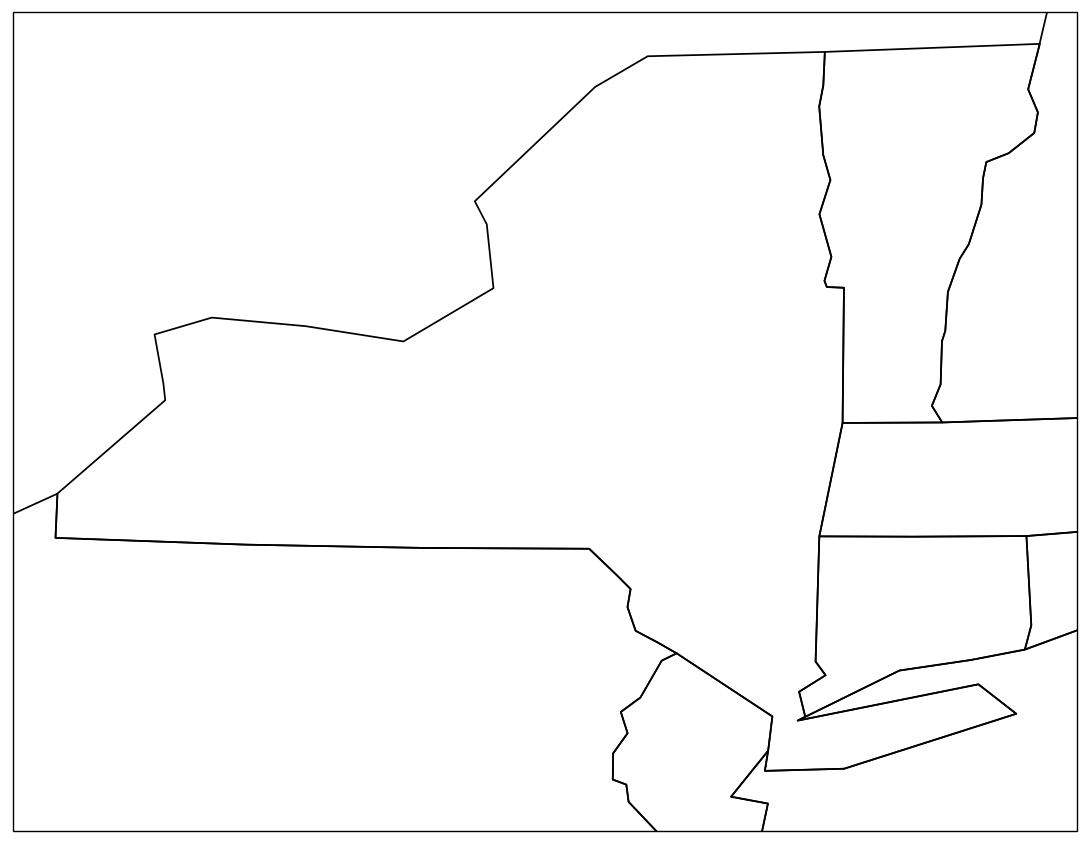
Plot some data on the map. We’ll use Pandas to read in the file containing the most recent NYS Mesonet obs.
df = pd.read_csv('http://www.atmos.albany.edu/products/nysm/nysm_latest.csv')View the first and last five lines of this DataFrame
dfExamine the column names.
df.columnsIndex(['station', 'time', 'temp_2m [degC]', 'temp_9m [degC]',
'relative_humidity [percent]', 'precip_incremental [mm]',
'precip_local [mm]', 'precip_max_intensity [mm/min]',
'avg_wind_speed_prop [m/s]', 'max_wind_speed_prop [m/s]',
'wind_speed_stddev_prop [m/s]', 'wind_direction_prop [degrees]',
'wind_direction_stddev_prop [degrees]', 'avg_wind_speed_sonic [m/s]',
'max_wind_speed_sonic [m/s]', 'wind_speed_stddev_sonic [m/s]',
'wind_direction_sonic [degrees]',
'wind_direction_stddev_sonic [degrees]', 'solar_insolation [W/m^2]',
'station_pressure [mbar]', 'snow_depth [cm]', 'frozen_soil_05cm [bit]',
'frozen_soil_25cm [bit]', 'frozen_soil_50cm [bit]',
'soil_temp_05cm [degC]', 'soil_temp_25cm [degC]',
'soil_temp_50cm [degC]', 'soil_moisture_05cm [m^3/m^3]',
'soil_moisture_25cm [m^3/m^3]', 'soil_moisture_50cm [m^3/m^3]', 'lat',
'lon', 'elevation', 'name'],
dtype='object')Create objects pointing to some columns of interest. In Pandas, we can refer to columns by using a “.” in addtion to “[]” in most circumstances, though not if a column name starts with a number, nor if there are spaces in the column name.
stid = df.station
lat = df.lat
lon = df.lon
tmp2 = df['temp_2m [degC]'] # Use brackets due to the presence of a space in the column name
tmp9 = df['temp_9m [degC]']
time = df.time
We will plot one of the variables on a map later on in this notebook. In case we want to go back later and pick a different variable to plot (e.g. 9 m temperature), let’s define a generic object name.
param = tmp2 # replace with tmp9, e.g., if you want to plot 9 m temperatureparam0 16.9
1 24.3
2 16.2
3 26.5
4 24.7
...
122 15.5
123 16.1
124 18.2
125 14.8
126 16.9
Name: temp_2m [degC], Length: 127, dtype: float64Let’s look at the time object.
time0 2026-04-16 23:50:00
1 2026-04-16 23:50:00
2 2026-04-16 23:50:00
3 2026-04-16 23:50:00
4 2026-04-16 23:50:00
...
122 2026-04-16 23:50:00
123 2026-04-16 23:50:00
124 2026-04-16 23:50:00
125 2026-04-16 23:50:00
126 2026-04-16 23:50:00
Name: time, Length: 127, dtype: objectThe times are the same for all stations, so let’s just pull out one of them, and then create some formatted datetime strings out of it.
timeString = time[0]
timeString
'2026-04-16 23:50:00'The timeString above could make for a perfectly fine part of an informative title for a map, but let’s create a string of the form “Month Day, Year, HourMin UTC” (e.g., Mar 30, 2021, 0120 UTC )
First, make a datetime object from the string, using strptime with a format that matches that of the string.
timeObj = datetime.strptime(timeString,"%Y-%m-%d %H:%M:%S")
timeObj
datetime.datetime(2026, 4, 16, 23, 50)Next, make a string object from the datetime object, using strftime with a format that matches what we want to use in the map’s title.
titleString = datetime.strftime(timeObj,"%B %d %Y, %H%M UTC")titleString'April 16 2026, 2350 UTC'Create a scatterplot to show the locations of each NYS Mesonet site using Matplotlib’s scatter method. This method accepts an entire array of lon-lat values.
ax.set_title ('New York State Mesonet Site Locations')
ax.scatter(lon,lat,s=9,c='r',edgecolor='black',alpha=0.75,transform=ccrs.PlateCarree())
# Plot the figure, now with the sites plotted
fig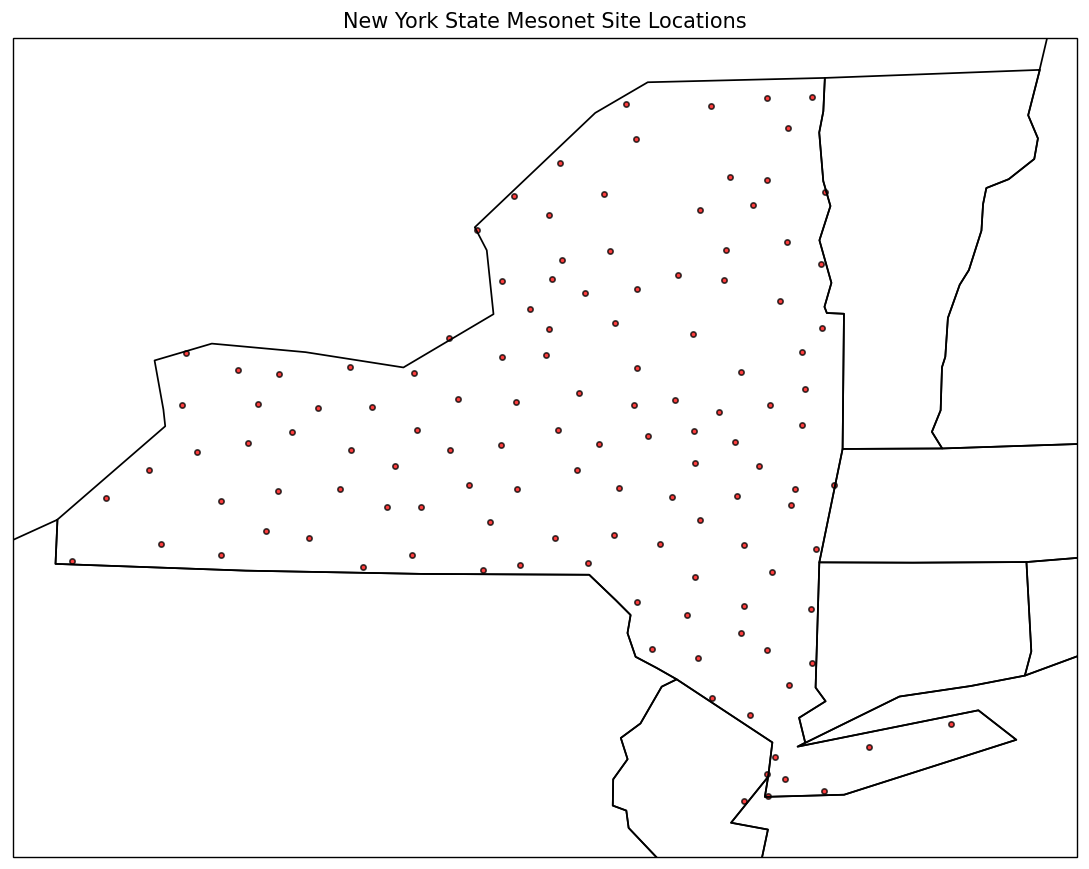
Did you notice the transform argument? Since we are plotting on a Lambert Conformal-projected map, which uses a Cartesian x-y coordinate system where each point is equally separated in meters, we need to convert, or transform, the lat-lon coordinates into their equivalent coordinates in our chosen projection. We use the transform argument, and assign its value to the coordinate system that our lat-lon array is derived from.
Next, plot the site IDs, using Matplotlib’s text method. This method only accepts a single value for its x and y coordinates, so we need to loop over all the values in the arrays.
Recall that in a Python list, one can use the enumerate function to set a numerical value to be used as a counter. We can use the same technique on a Pandas series object:
for count, site in enumerate(stid):
    print (count, site)
0 ADDI
1 ANDE
2 BATA
3 BEAC
4 BELD
5 BELL
6 BELM
7 BERK
8 BING
9 BKLN
10 BRAN
11 BREW
12 BROC
13 BRON
14 BROO
15 BSPA
16 BUFF
17 BURD
18 BURT
19 CAMD
20 CAPE
21 CHAZ
22 CHES
23 CINC
24 CLAR
25 CLIF
26 CLYM
27 COBL
28 COHO
29 COLD
30 COPA
31 COPE
32 CROG
33 CSQR
34 DELE
35 DEPO
36 DOVE
37 DUAN
38 EAUR
39 EDIN
40 EDWA
41 ELDR
42 ELLE
43 ELMI
44 ESSX
45 FAYE
46 FRED
47 GABR
48 GFAL
49 GFLD
50 GROT
51 GROV
52 HAMM
53 HARP
54 HARR
55 HART
56 HERK
57 HFAL
58 ILAK
59 JOHN
60 JORD
61 KIND
62 LAUR
63 LKPL
64 LOUI
65 MALO
66 MANH
67 MEDI
68 MEDU
69 MORR
70 NBRA
71 NEWC
72 NHUD
73 OLDF
74 OLEA
75 ONTA
76 OPPE
77 OSCE
78 OSWE
79 OTIS
80 OWEG
81 PENN
82 PHIL
83 PISE
84 POTS
85 QUEE
86 RAND
87 RAQU
88 REDF
89 REDH
90 ROXB
91 RUSH
92 SARA
93 SBRI
94 SCHA
95 SCHO
96 SCHU
97 SCIP
98 SHER
99 SOME
100 SOUT
101 SPRA
102 SPRI
103 STAT
104 STEP
105 STON
106 SUFF
107 TANN
108 TICO
109 TULL
110 TUPP
111 TYRO
112 VOOR
113 WALL
114 WALT
115 WANT
116 WARS
117 WARW
118 WATE
119 WBOU
120 WELL
121 WEST
122 WFMB
123 WGAT
124 WHIT
125 WOLC
126 YORK
We’ll repeat the enumeration below; instead of printing out the counter value and its associated list element name, we’ll pass them in directly to Matplotlib’s ax.text function:
for count, site in enumerate(stid):
    ax.text(lon[count],lat[count],site,horizontalalignment='right',transform=ccrs.PlateCarree(),fontsize=7)
fig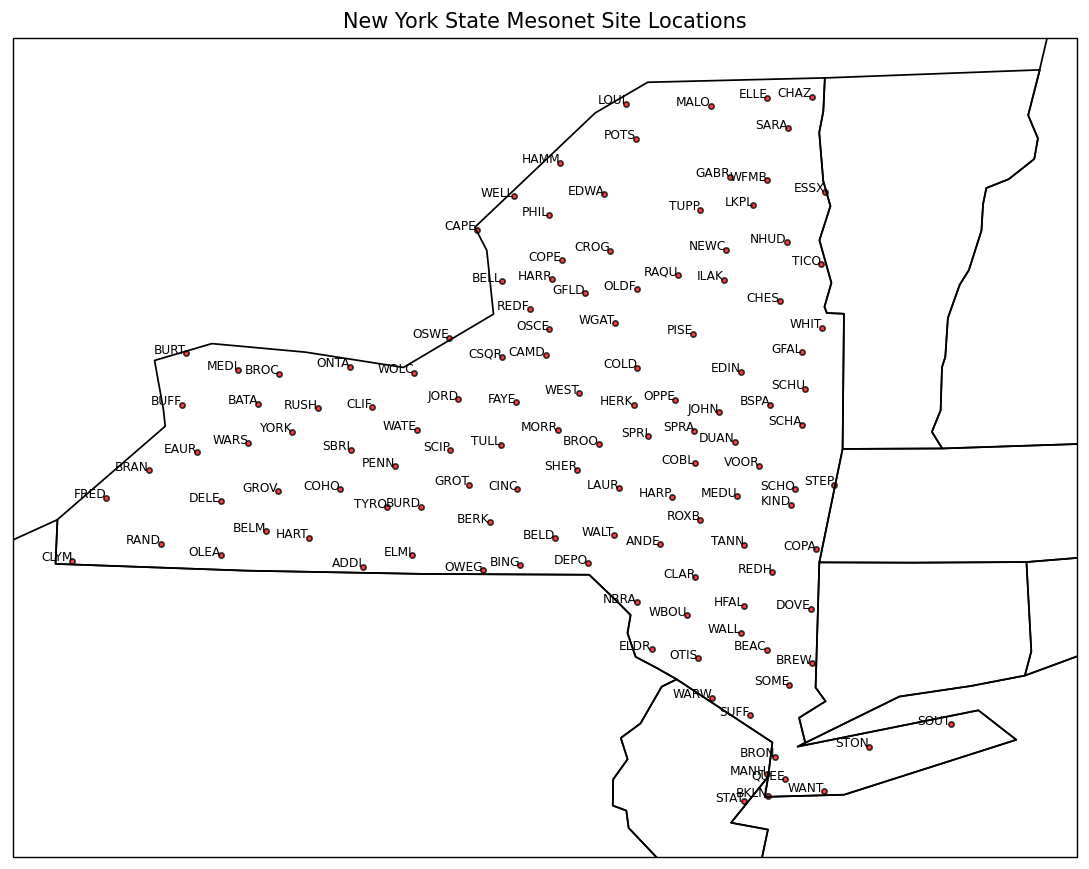
Now, let’s attempt to plot the site locations again, but this time we’ll omit the transform argument in ax.scatter and ax.text.
fig = plt.figure(figsize=(11,8.5),dpi=125)
ax = plt.subplot(1,1,1,projection=proj)
ax.set_extent ([lonW,lonE,latS,latN])
ax.add_feature(cfeature.COASTLINE.with_scale(res))
ax.add_feature (cfeature.STATES.with_scale(res))
ax.set_title ('New York State Mesonet Site Locations')
ax.scatter(lon,lat,s=9,c='r',edgecolor='black',alpha=0.75)
for count, site in enumerate(stid):
    ax.text(lon[count],lat[count],site,horizontalalignment='right',fontsize=7)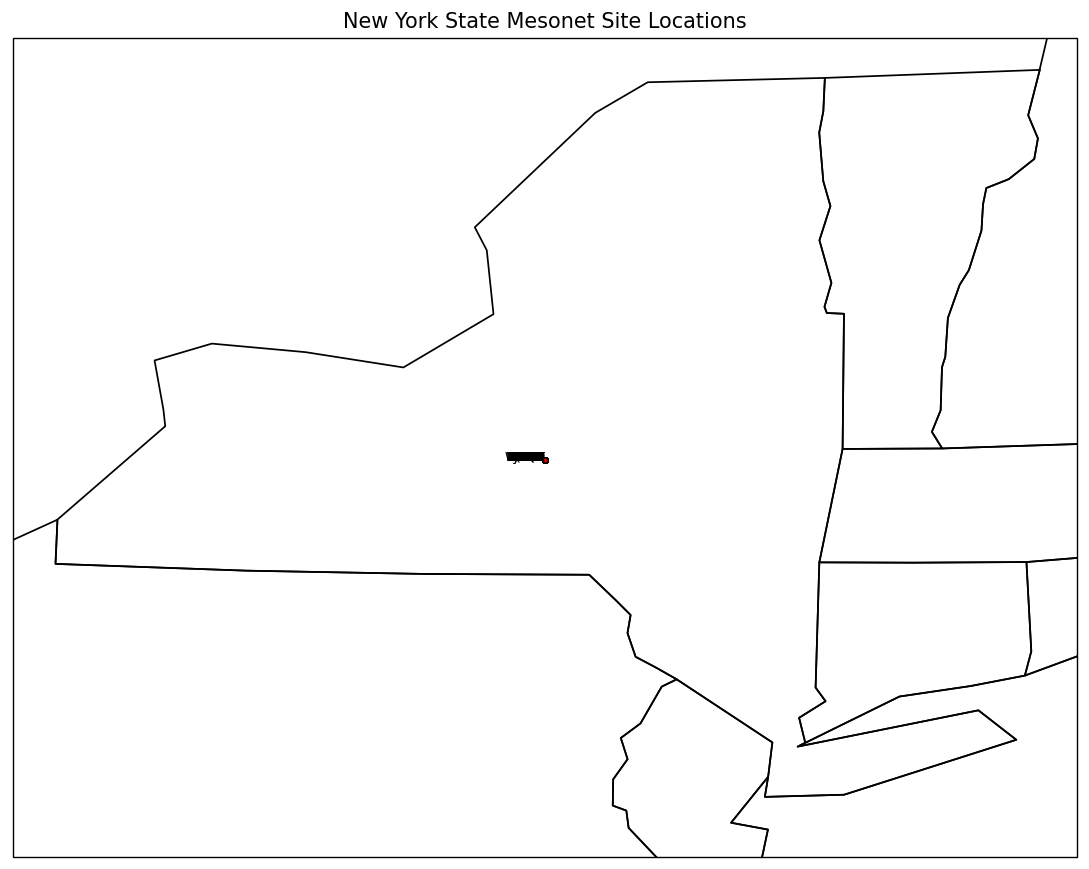
What do you think happened here?
Click to reveal only AFTER you have tried your own code!
proj = ccrs.LambertConformal(central_longitude=cLon, central_latitude=cLat)
res = '50m' # Use the medium-resolution shapefiles

fig = plt.figure(figsize=(15,10),dpi=125)
ax = plt.subplot(1,1,1,projection=proj)
ax.set_extent ([lonW,lonE,latS,latN])
ax.set_title(f"NYS Mesonet 2m temperature (°C), {titleString}")
ax.add_feature(cfeature.COASTLINE.with_scale(res))
ax.add_feature (cfeature.STATES.with_scale(res));

for count, value in enumerate(param):
    ax.text(lon[count],lat[count],value,horizontalalignment='right',transform=ccrs.PlateCarree(),fontsize=7,color='blue')
# Write your code below